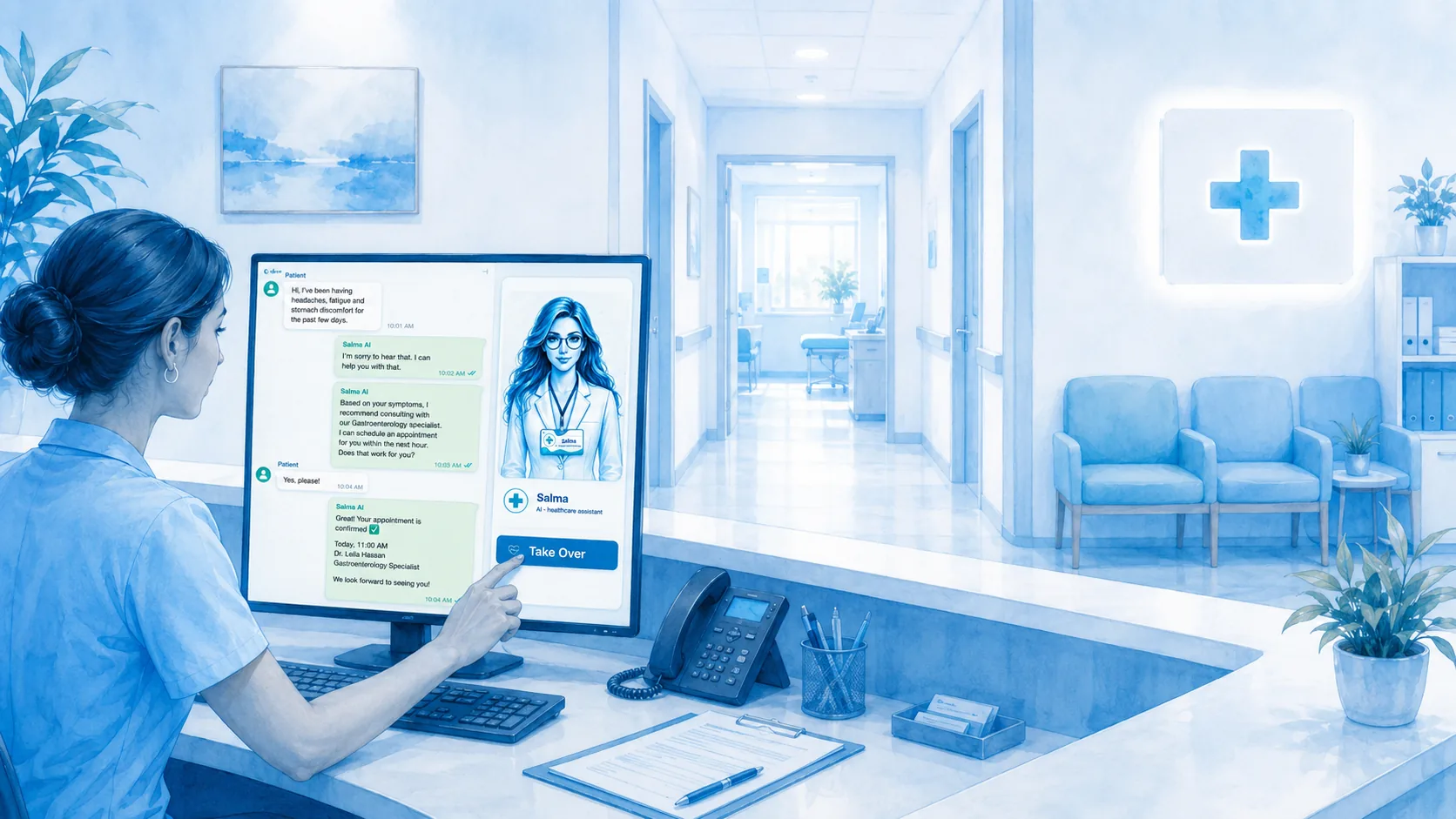
Patients ask where the clinic is, which services it offers and how to prepare. Approved clinic knowledge helps Salma respond to those practical questions. The conversation should stay clear about the difference between administrative information and advice that requires a qualified professional.
Bring appointment questions into the workflow
In a configured healthcare setup, Salma can help find services, check availability and use the supported booking or request process. The patient needs to know whether a visit is confirmed or waiting for approval. Rescheduling and cancellation should be demonstrated too.
Let reception join without losing context
Clinic staff can see the WhatsApp conversation and reply from Salma’s shared inbox on the connected number. They can take over and return control. This page describes the dashboard workflow; continued use of the WhatsApp Business app depends on the connection’s eligibility.
FAQ
Questions, answered
Must patients move to another number for staff?
The supported shared-inbox workflow keeps staff replies in the connected WhatsApp conversation.
Can I use this for emergency care?
Do not treat an automated reception channel as an emergency service. Clinical and urgent-care responsibilities remain with appropriate professionals and services.
Meet Salma in a clinic: patient enquiries, appointment workflows, staff handover and configured follow-up. Explore the story and request a healthcare demo.
Let staff and Salma work in the same customer conversations. Review connected messages, reply from the dashboard and take over when personal attention is needed.
↗
A conversation, not a checkout
Let’s talk about your working day.
Bring your questions. We’ll show the relevant workflows and explore the right setup together.